This post was inspired by the amazing research done by thedigitaldetective found on RDP Forensics Part 1: Fingerprinting Attacks with Keyboard Layout Data
I have always thought that adversarial attribution is interesting and trying to get a glimpse of whos actually behind the keyboard excites me.
As the adversaries is just humans - and humans makes mistakes - sometimes its possible to find some of the OPSEC issues they leave behind, e.g. it being them accedentily authenticating over SSH without specifying their username resulting in the SSH client will automatically use the local account name of the attacker’s machine.
And as part of this interest I came across the article by thedigitaldective, whom researched what forensic artifacts are left behind on the destination system after a successful RDP connection. I decided to create a Velociraptor artifact that helps you hunt for one of these artifacts, more specifically the Keyboard input locales found in HKEY_LOCAL_MACHINE\SOFTWARE\Microsoft\Input\Locales
I highly encourage you to read the research from thedigitaldective, as I wont go into detail about it here.
I decided to create a Velociraptor Artifact to help hunt for these artifacts.
The artifact is split up into two sections, a system wide output and a user specific.
The artifact can be found on the Artifact Exchange here: WAITING FOR IT TO BE PUBLISHED
Let’s use a simple scenario. You are trying to find any clues to the threat actor that was present on a compromised system. You know that they have used RDP, and the common keyboard layout in the environment is
en-USandda-GL. You found that the keyboard layout from the RDP-session was changed toru-RU, and you want to sweep the rest of the environment for any signs of this keyboard layout.
System wide hunts
The registry key(HKEY_LOCAL_MACHINE\SOFTWARE\Microsoft\Input\Locales) is where the system-wide keyboard settings are stored, so it will store which layouts have been enabled on the system.
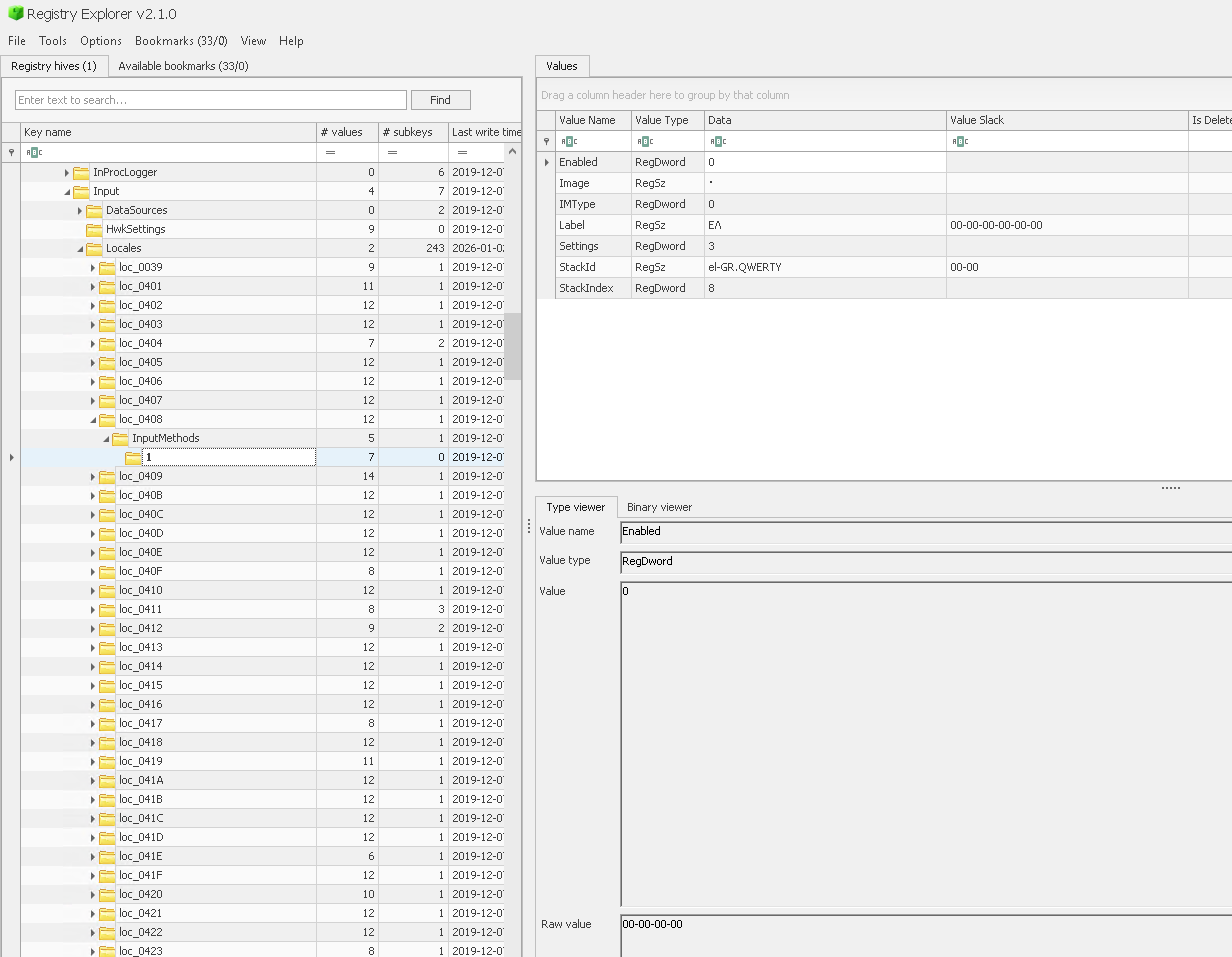
Which is something we can query with Velociraptor with the glob-plugin using the registry accessor.
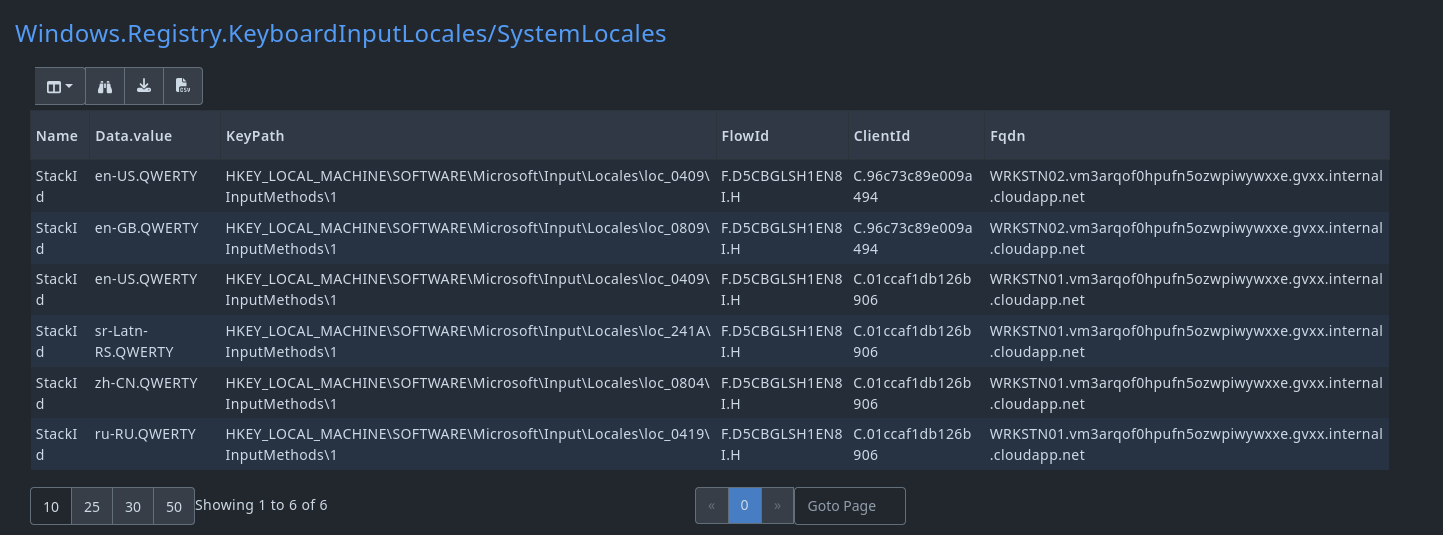 As you can see on the image, several suspicious locales are installed on the system, but we want to exclude the benign company-wide layouts.
Which we can do by using this VQL in the notebook:
SELECT * FROM source(artifact="Windows.Registry.KeyboardInputLocales/SystemLocales")
WHERE NOT `Data.value` =~ "(?i)(en-US|en-GB)"
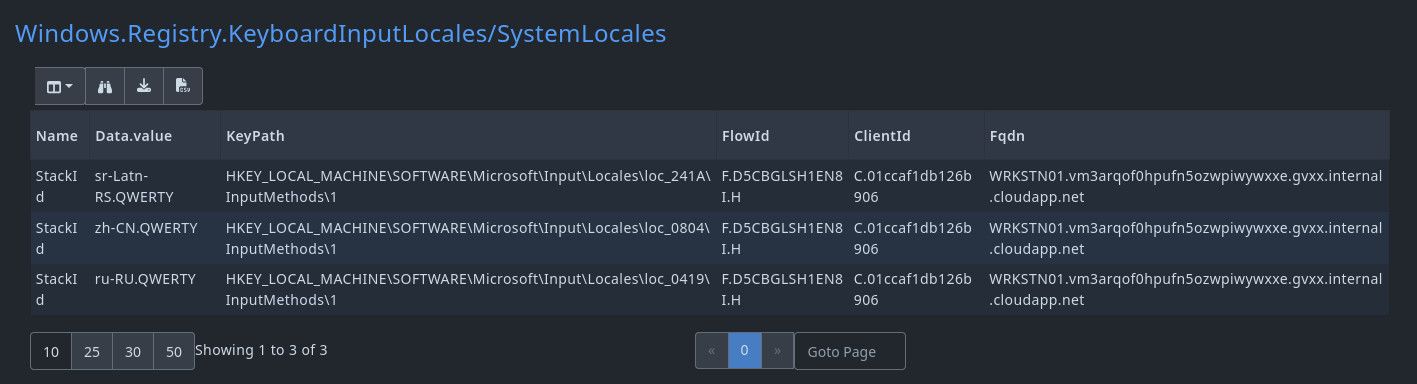
Which gives us a cleaner result
User specific
In the article it is also mentioned that user-specific user keyboard layouts are also stored as a registry key found in HKEY_USERS\<User SID>\Control Panel\International\User Profile.
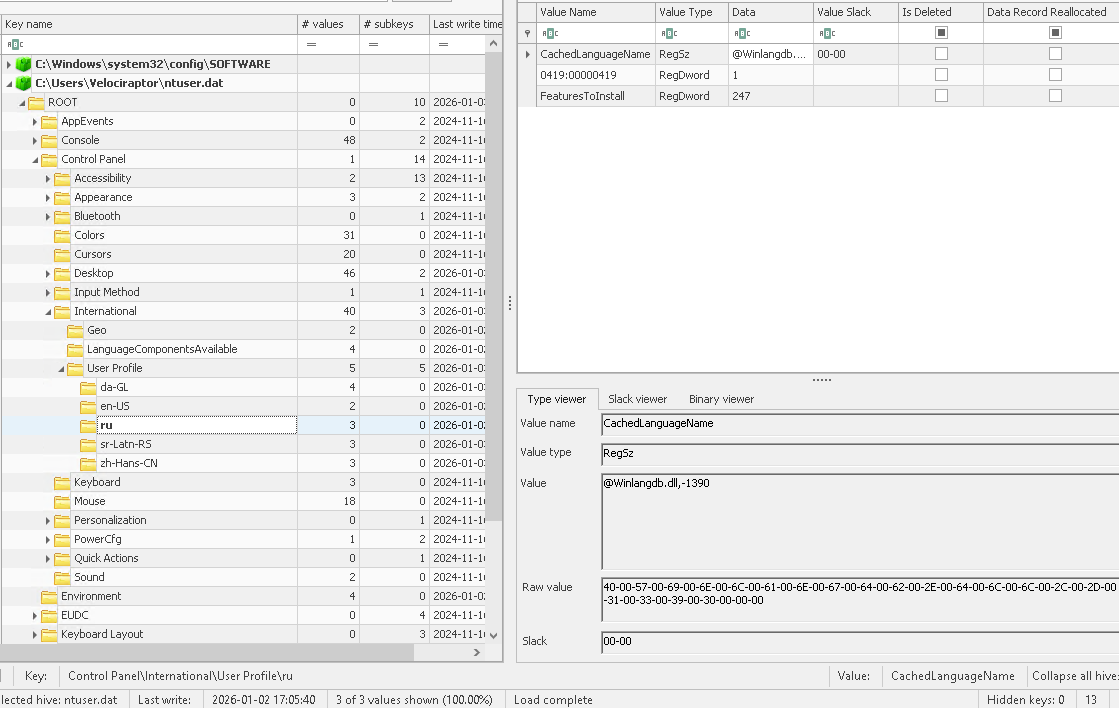
This specifically means that we would be able to figure out which account had this layout configured.
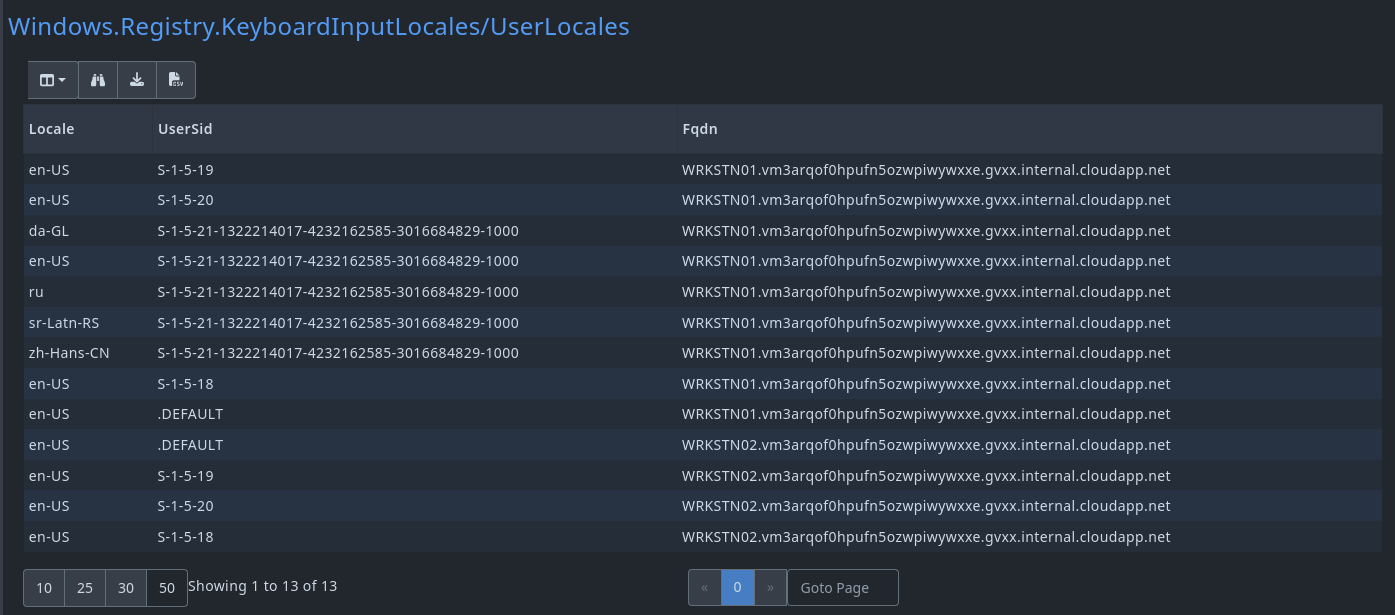
And like before, we can filter out the benign results:
SELECT * FROM source(artifact="Windows.Registry.KeyboardInputLocales/UserLocales")
WHERE NOT `Locale` =~ "(?i)(en-US|en-GB|da-GL)"
Both artifacts reveals that there was several keyboard locales outside of our baseline, and could potentially indicate adversary activity on those machines.
Final thoughts
Keyboard input locales on their own are not definitive proof of attribution, and they should never be treated as a single-source indicator. However, when used as part of a broader investigation, they can provide valuable context.
Combined with other artifacts such as RDP logon events, source IP addresses and maybe even authentication timestamps can help highlight anomalies and support hypotheses.
Velociraptor Artifact
The artifact can be found on the Artifact Exchange here: WAITING FOR IT TO BE PUBLISHED
name: Windows.Registry.KeyboardInputLocales
author: Guzzy (blog.guzzy.dk)

description: |
  Enumerates enabled input locales from the SOFTWARE and USERS registry hive.
  Useful for RDP session attribution.
  Specifically, it helps identify which keyboard layouts were enabled during RDP sessions, as during an RDP session, the client's active language and keyboard layout are automatically transferred and applied to the remote system.

  As the reference article explains, this artifact can be particularly useful in investigations to help attribute RDP sessions to specific clients based on their keyboard input locales.

  NOTE: This artifact only collects input locales that are enabled.

reference:
  - Hunting Keyboard locales with Velociraptor (https://blog.guzzy.dk/posts/hunting_keyboard_velociraptor/)
  - RDP Forensics Part 1 Fingerprinting Attacks with Keyboard Layout Data (https://medium.com/@thedigitaldetective/remote-desktop-protocol-using-client-keyboard-input-in-attack-attribution-and-profiling-94a76f0f4ff4)
  - An inside look at NSA (Equation Group) TTPs from China's lense (https://www.inversecos.com/2025/02/an-inside-look-at-nsa-equation-group.html)

type: CLIENT

sources:
  - name: SystemLocales
    precondition:
      SELECT OS FROM info() WHERE OS = "windows"

    query: |
      LET EnabledInputMethods = SELECT
        OSPath.Dirname AS KeyPath
      FROM glob(globs="HKEY_LOCAL_MACHINE\\SOFTWARE\\Microsoft\\Input\\Locales\\loc_*\\InputMethods\\*\\Enabled", accessor="registry")
      WHERE Name = "Enabled" AND Data.value = 1

      SELECT * FROM foreach(
        row=EnabledInputMethods,
        query={
          SELECT
            Name,
            Data.value,
            KeyPath
          FROM glob(globs=KeyPath + "\\{StackId}", accessor="registry")
        }
      )

  - name: UserLocales
    precondition:
      SELECT OS FROM info() WHERE OS = "windows"

    query: |
      SELECT
        OSPath.Basename AS Locale,
        OSPath.Dirname.Dirname.Dirname.Dirname.Basename AS UserSid
      FROM glob(
        globs="HKEY_USERS\\*\\Control Panel\\International\\User Profile\\*",
        accessor="registry"
      )
      WHERE OSPath.Basename =~ "^[A-Za-z]{2,3}(-[A-Za-z0-9]{2,8})*$"