This post was inspired by the amazing research done by thedigitaldetective found on RDP Forensics Part 2: Fingerprinting Attacks with Timezone, OS Type, and Monitor Display Resolution
As a follow up on my previous post about Hunting Keyboard locales with Velociraptor I decided to make another Velociraptor based on @thedigitaldective’s article about digging deeper into adversary attribution and fingerprinting by looking at more RDP specific artifacts.
What to understand from his research is that when a client system is using the Remote Desktop Protocol it leaves several artifacts on the destination system that can help identify what operating system the client is coming from, what the timezone offset is and what the requested resolution for the RDP session is. This post is focused on the first two pieces of evidence.
All this is tracked in the Microsoft-Windows-RemoteDesktopServices-RdpCoreTS/Operational event-channel, and I therefor decided to use the existing Velociraptor artifact Windows.EventLogs.EvtxHunter by Matt Green and make my artifact a wrapper around that.
It does it by filtering for Event ID 104 and 169.
EvtxHunter has the option to hunt in VSS, so this was also added as a optional parameter for the artifact, default is 0 days, which means do not hunt in VSS.
I previously had luck at identifying adversary timezone offset on several servers using this method. Note that I don’t advice running this artifact on workstations.
The artifact splits it into two sources:
- The Timezone offset
- The ClientOsType
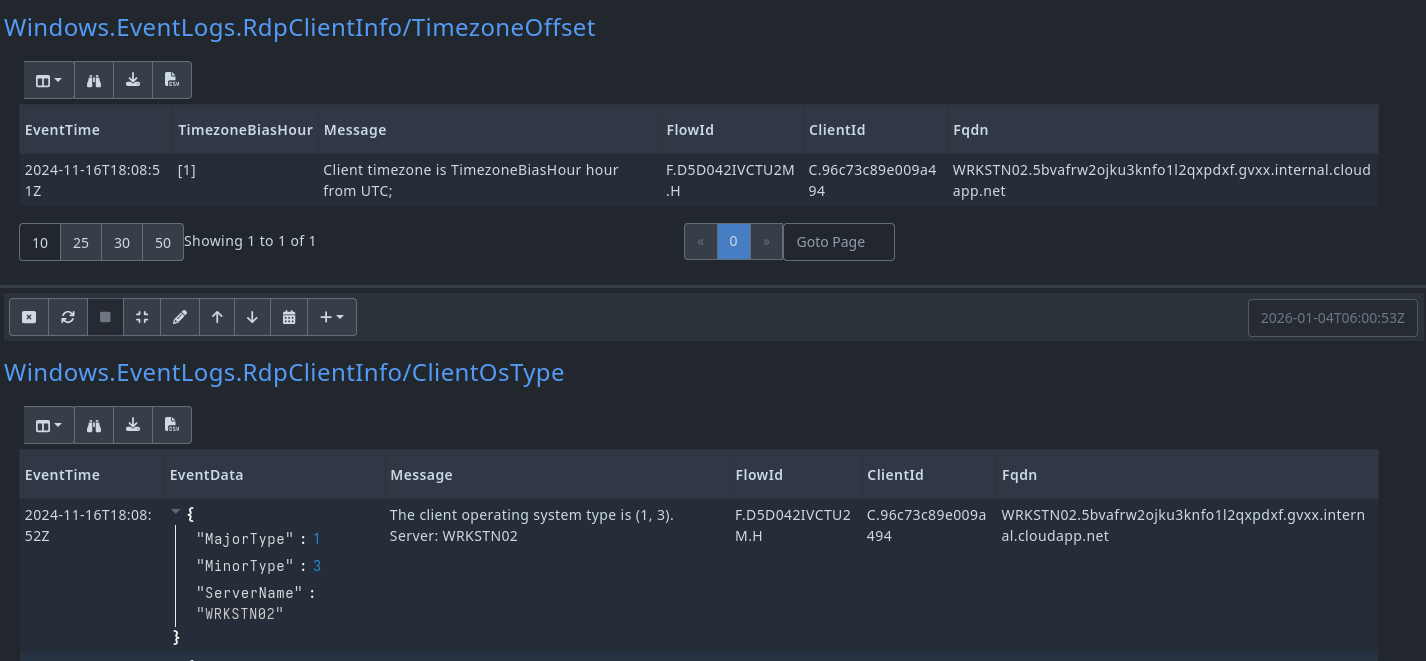
Timezone Offset
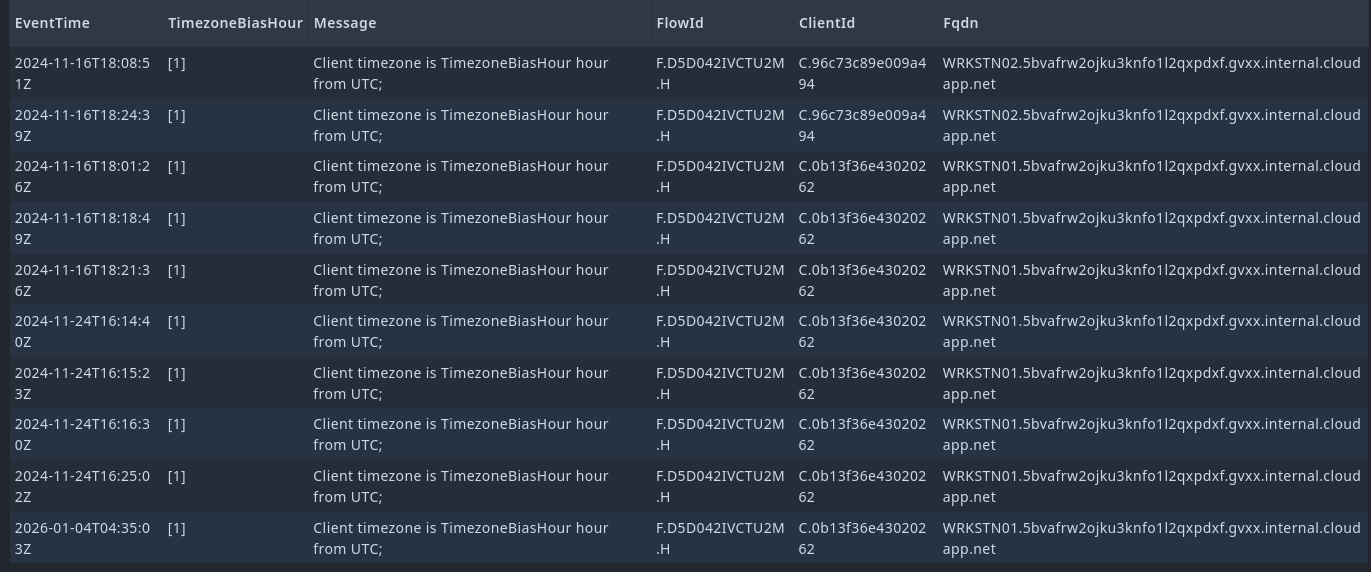
The first table will display the TimezoneBiasHour which is basically an estimated offset to UTC.
For example if it says
[1]it means the client is set to UTC+1 timezone.
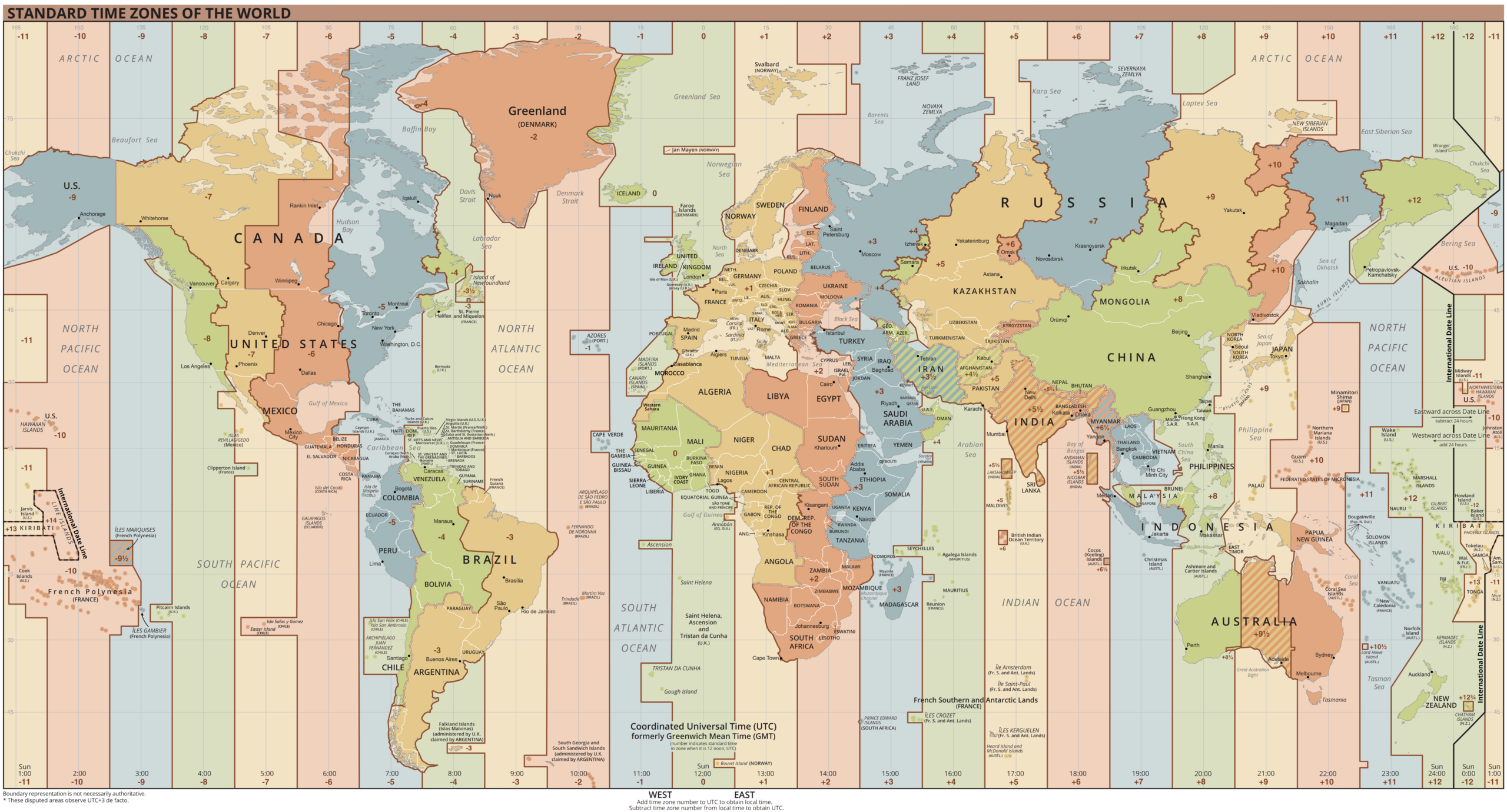
You can find a list of the timezone UTC offsets here: List of UTC offsets
Client OS Info
It displays the client operation system information in another table, which reveals the MajorType and MinorType information - with help from MS-DOCS can help to indicate what OS the client is coming from.
For example if
MajorType=1andosMinorType=3, this indicates that the RDP client is a Windows NT–based operating system.
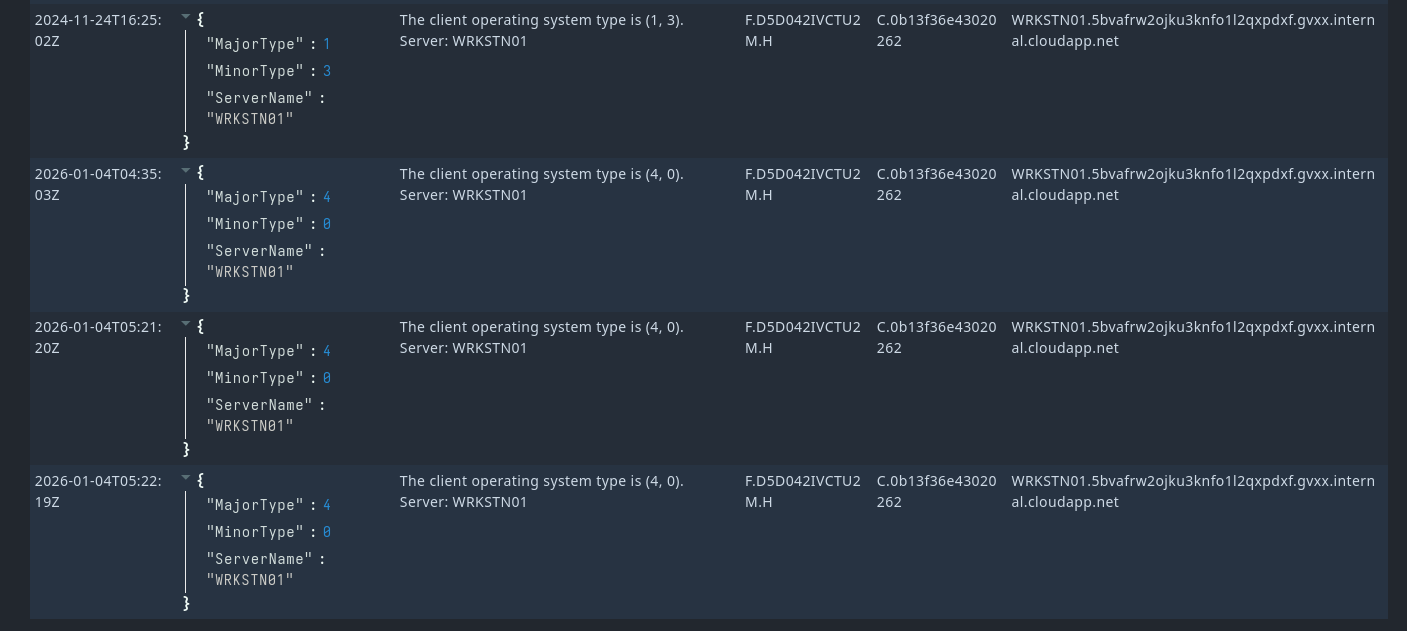
For example on the image above we can see that client information reveals MajorType 4 and MinorType 0 which could indicate that the client is coming from a UNIX based operating system where sub-platform details is not specified.
Final thoughts
This can, together with Hunting Keyboard locales with Velociraptor, helps us attribute more details about the adversary in a more scalable fasion with Velociraptor. It should be noted that again this will only be deemed useful if the operator is not taking care of OPSEC.
Velociraptor Artifact
The artifact can be found on the Artifact Exchange here: WAITING FOR IT TO BE PUBLISHED
name: Windows.EventLogs.RdpClientInfo
author: Guzzy (blog.guzzy.dk) | SagaLabs

description: |
  The artifact extracts client-side characteristics recorded during RDP session connection, including timezone configuration (Event ID 104) and operating system type information (Event ID 169) from the source system.
  The artifact is based on research by @thedigitaldetective, and article is referenced below.

  The artifact uses EvtxHunter artifact to query Microsoft-Windows-RemoteDesktopServices-RdpCoreTS/Operational.evtx.

  Event ID 104 records the client timezone bias, which is a UTC offset and used to infer likely geographic regions
  of the RDP client. For example if it says [1] it means the client is set to UTC+1 timezone.

  Event ID 169 records client OS details, including osMajorType and osMinorType values, which can assist in identifying the RDP client platform.
  To look up the OS type values, refer to the Microsoft RDP documentation linked below.

  MajorType values:

  - 0: Unspecified platform
  - 1: Windows platform
  - 2: OS/2 platform
  - 3: Macintosh platform
  - 4: UNIX platform
  - 5: iOS platform
  - 6: OS X (macOS) platform
  - 7: Android platform
  - 8: Chrome OS platform

  For example if MajorType=1 and MinorType=3, this indicates that the RDP client is a Windows NT–based operating system.

reference:
  - https://medium.com/@thedigitaldetective/rdp-forensics-part-2-fingerprinting-attacks-with-timezone-and-monitor-display-resolution-3ebe668d52ad
  - https://learn.microsoft.com/en-us/openspecs/windows_protocols/ms-rdpbcgr/41dc6845-07dc-4af6-bc14-d8281acd4877

type: CLIENT

parameters:
  - name: VSSAnalysisAge
    type: int
    default: 0
    description: |
      If larger than zero we analyze VSS within this many days
      ago. (e.g 7 will analyze all VSS within the last week).  Note
      that when using VSS analysis we have to use the ntfs accessor
      for everything which will be much slower.

sources:
  - name: TimezoneOffset
    query: |
      SELECT
        EventTime,
        EventData.Data.Value AS TimezoneBiasHour,
        Message
      FROM Artifact.Windows.EventLogs.EvtxHunter(
        EvtxGlob='C:\\Windows\\System32\\Winevt\\Logs\\Microsoft-Windows-RemoteDesktopServices-RdpCoreTS%4Operational.evtx',
        ChannelRegex='^Microsoft-Windows-RemoteDesktopServices-RdpCoreTS/Operational$',
        IdRegex='^104$',
        VSSAnalysisAge=VSSAnalysisAge
      )
  - name: ClientOsType
    query: |
      SELECT
        EventTime,
        EventData,
        Message
      FROM Artifact.Windows.EventLogs.EvtxHunter(
        EvtxGlob='C:\\Windows\\System32\\Winevt\\Logs\\Microsoft-Windows-RemoteDesktopServices-RdpCoreTS%4Operational.evtx',
        ChannelRegex='^Microsoft-Windows-RemoteDesktopServices-RdpCoreTS/Operational$',
        IdRegex='^169$',
        VSSAnalysisAge=VSSAnalysisAge
      )